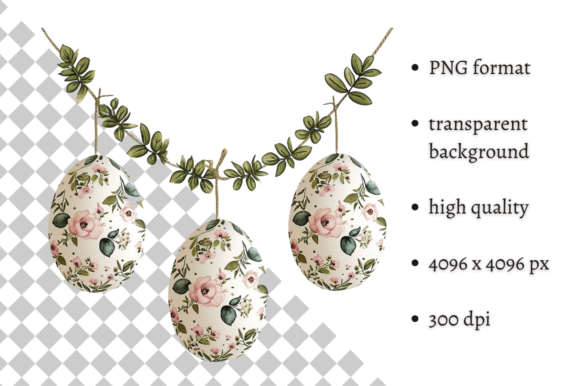
Watercolor Easter Eggs Illustration: A Guide to Choosing Quality for Your Projects
Easter is a season defined by renewal, soft pastels, and the joy of crafting. Whether you are designing digital invitations, creating physical greeting cards, or building marketing materials for your small business, the visual elements you choose set the tone for your entire project. Among the most popular choices is the Watercolor Easter Eggs Illustration. This style captures the organic, fluid nature of spring better than rigid vector graphics often can. However, not all clipart is created equal. The difference between a professional-looking design and an amateur attempt often lies in the specific assets you select and how you evaluate them before downloading.
The Appeal of Watercolor Pink Easter Clipart
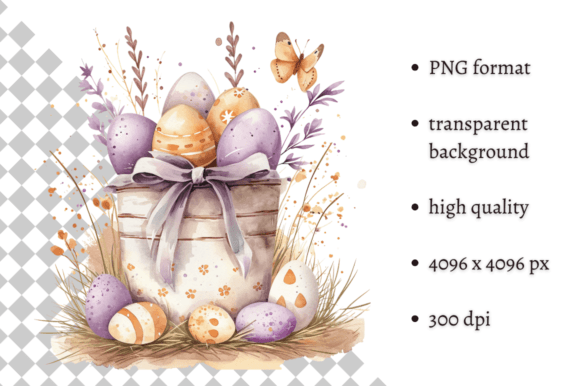
Why has the watercolor aesthetic become so dominant in seasonal design? It mimics the unpredictability of nature. Unlike solid blocks of color, watercolor textures feature subtle gradients, dry brush strokes, and bleeding edges that feel handmade. When you look at a high-quality Watercolor Pink Easter Clipart, you see a charming blend of pink and beige tones that evoke warmth and nostalgia. This specific palette works exceptionally well because it feels gentle rather than aggressive, making it suitable for baby showers, church bulletins, boutique packaging, and family invitations.
For creators who do not have time to paint their own backgrounds or illustrations, these digital assets offer a shortcut to a sophisticated look. They allow you to infuse a touch of springtime magic into your work without needing a studio full of paints and brushes. The key is finding an illustration that maintains the integrity of the medium while remaining versatile enough for modern digital applications.
Common Pitfalls When Selecting Digital Art
Despite the abundance of resources available online, many designers and hobbyists make critical errors when sourcing their graphics. These mistakes often stem from a lack of attention to technical specifications or a misunderstanding of licensing terms. Recognizing these issues early can save you hours of frustration and prevent your final product from looking unprofessional.
Ignoring Resolution and DPI
One of the most frequent oversights is downloading an image that looks good on a screen but fails miserably in print. Many free or low-cost clipart options are saved at 72 dpi (dots per inch), which is standard for web use but insufficient for physical printing. If you attempt to print a low-resolution Watercolor Easter Eggs Illustration onto cardstock or heavy paper, the result will be pixelated, blurry, and jagged. This immediately undermines the quality of your craft.
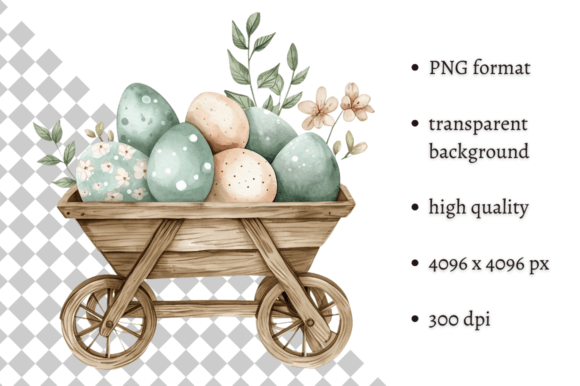
To avoid this, always verify the resolution before purchasing or downloading. A professional-grade asset should be at least 300 dpi. For instance, our featured collection offers a 4096 x 4096 px file size. This dimension ensures that even if you need to crop the image or enlarge it slightly for a banner or poster, the details remain crisp. Never compromise on resolution if your project involves any form of physical production.
Overlooking Background Transparency
Another common mistake is selecting images with white or solid colored backgrounds. While these might look fine on a plain white canvas, they become problematic when you try to layer them over other elements. Imagine trying to place a watercolor egg on a textured kraft paper background or a colorful gradient; a white box around the egg creates an awkward border that breaks the illusion of depth.
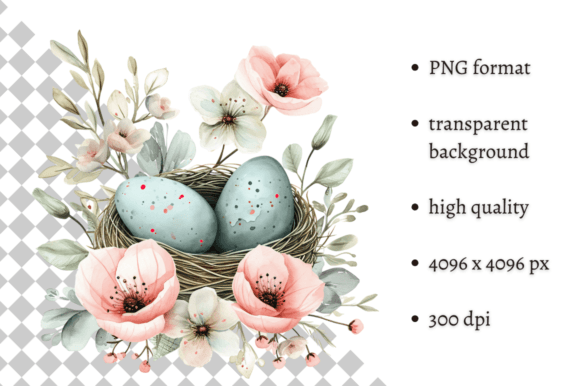
A true professional workflow requires a transparent background. With a high-quality PNG featuring transparency, you can seamlessly incorporate the whimsical clipart into your designs. You can place the egg on wood grain, patterned paper, or inside a text layout without fighting against unwanted white edges. Always check the preview carefully to ensure the corners of the image are truly transparent, not just white.
Misunderstanding Color Profiles
Color accuracy is another area where beginners often stumble. Screens display colors in RGB (Red, Green, Blue), while printers use CMYK (Cyan, Magenta, Yellow, Key/Black). If you download an image optimized only for screens, the vibrant pinks and beiges you see on your monitor may shift to muddy browns or dull grays when printed.
While digital projects like social media posts or email newsletters rely on RGB, physical crafts require careful consideration. High-quality sellers often provide files that maintain color fidelity across different mediums. If you are unsure, test print a small section first. Do not assume that what you see on your phone is exactly what will come out of your printer.
Practical Steps for Better Design Decisions
Avoiding these pitfalls requires a bit of due diligence. Before you commit to a download, ask yourself a few practical questions about the asset and your intended use. Here is a checklist to guide your decision-making process:
- Check the File Format: Ensure you are downloading a PNG for transparency. JPEGs compress data and lose transparency, often adding white backgrounds.
- Verify Dimensions: Look for dimensions that exceed your needs. A 4096 x 4096 px file gives you flexibility for both web and large-format print.
- Review the License: Understand how you are allowed to use the art. Can you use it for commercial products? Are there limits on the number of items you can produce?
- Inspect the Edges: Zoom in on the preview. Do the edges of the watercolor strokes look clean, or are there jagged artifacts? Clean edges indicate a professional cutout.
Maximizing Your Creative Potential
When you choose the right Watercolor Easter Eggs Illustration, you unlock a variety of creative possibilities. Because these assets are designed to be versatile, they work beautifully in mixed-media projects. You can combine digital downloads with physical collage elements, scan your own hand-drawn lines, and overlay them with the digital watercolor texture for a unique hybrid look.
For entrepreneurs and marketers, using high-resolution clipart signals professionalism. It tells your audience that you care about the details. A flyer with a blurry, pixelated egg suggests a lack of effort, whereas a crisp, high-definition image builds trust and brand authority. Similarly, for educators creating classroom decorations or lesson plans, clear visuals help students engage with the material without distraction.
Remember that the goal is not just to find "free" art, but to find "right" art. Investing in a single, high-quality PNG file is often more cost-effective than spending hours trying to fix a low-quality image in photo editing software. By prioritizing resolution, transparency, and color accuracy, you ensure that your Easter projects stand out for the right reasons. Transform your designs with confidence by choosing assets that are built to perform, ensuring your celebration of spring is as polished and magical as it should be.